Read existing activity
Bring meetings, focus blocks, received mail, sent mail, folders, labels, and accounts into one review.
 Activity Category Insights
Try free
Activity Category Insights
Try free
Personal work insight for Windows and macOS
Turn categorized calendar events and mail into a clear, auditable account of time, workload, communication, and daily reporting.
No timer to remember. No hidden total that cannot be explained.
From evidence to insight
Activity Category Insights connects the activity you already record, applies a consistent category model, and keeps every summary traceable to its underlying items.
Bring meetings, focus blocks, received mail, sent mail, folders, labels, and accounts into one review.
Include meeting duration, preparation time, all-day work rules, and configurable mail effort.
Drill down by category, person, source, account, folder, importance, location, and period.
Review calculated activity, make explicit corrections, complete the day, and export the result.
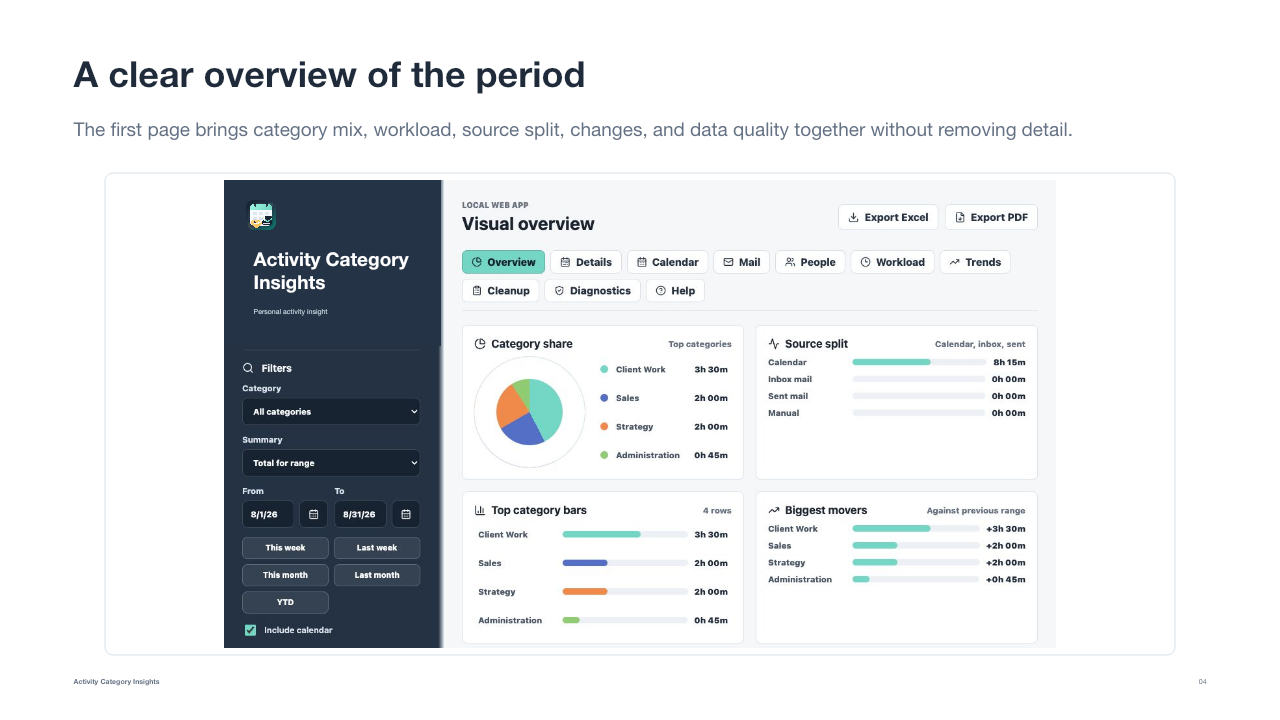
Overview
See category share, source split, workload, leading activities, period changes, and data quality together. Change the period or account without losing the path back to the original items.
Auditable detail
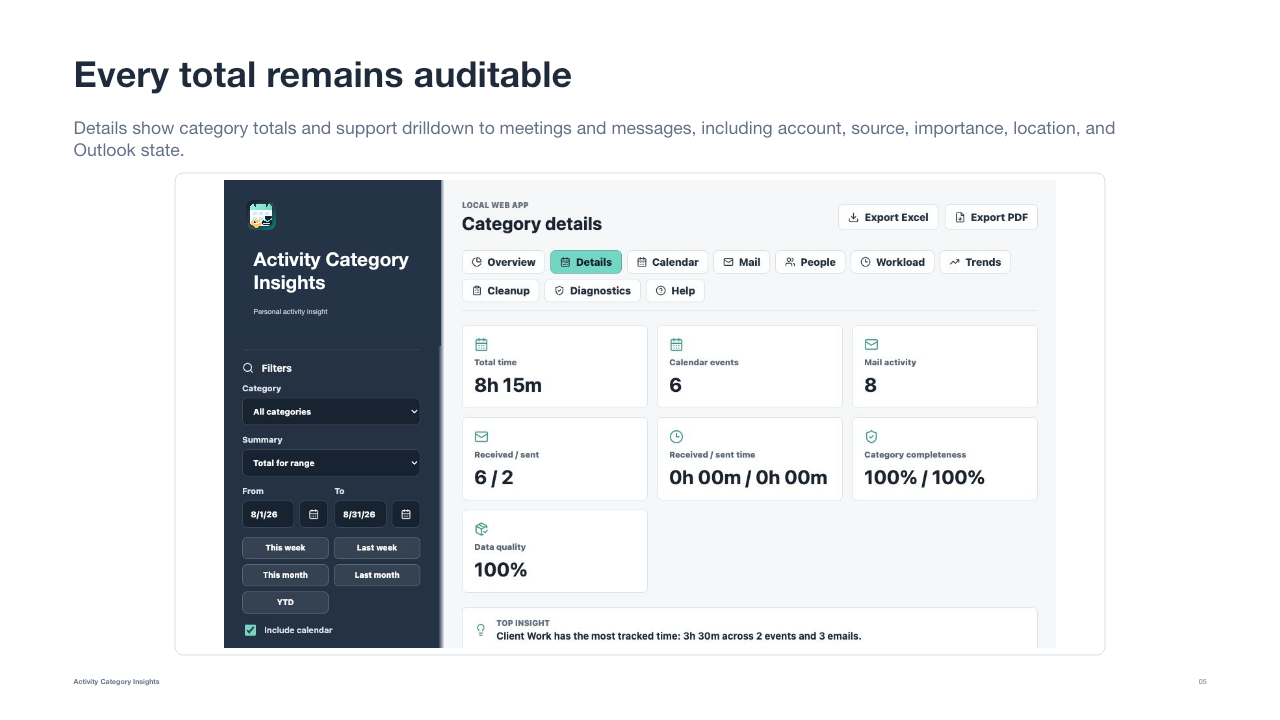
Category totals stay connected to calendar events and messages. Multi-category allocation, inclusion rules, duplicate diagnostics, and source-quality indicators make the calculation visible.
Daily reporting
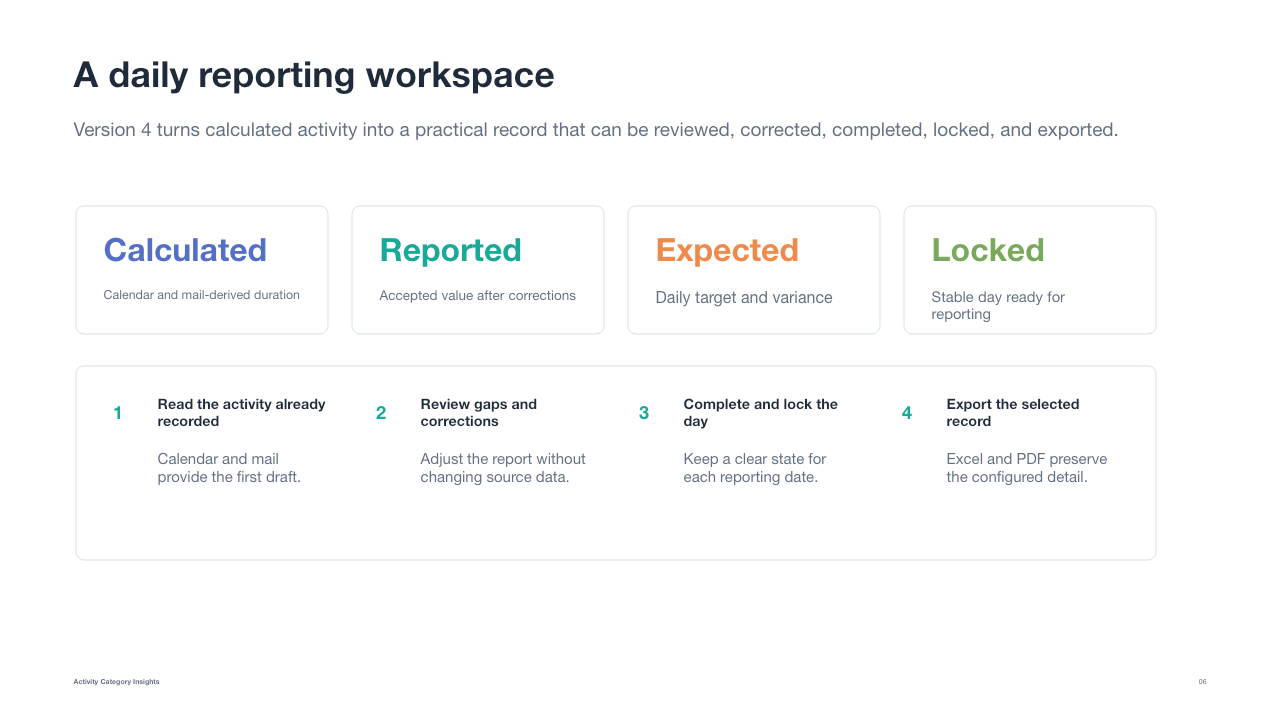
The daily workspace separates calculated, reported, and expected time. Review gaps, add corrections, mark the status, and lock completed days.
Trends
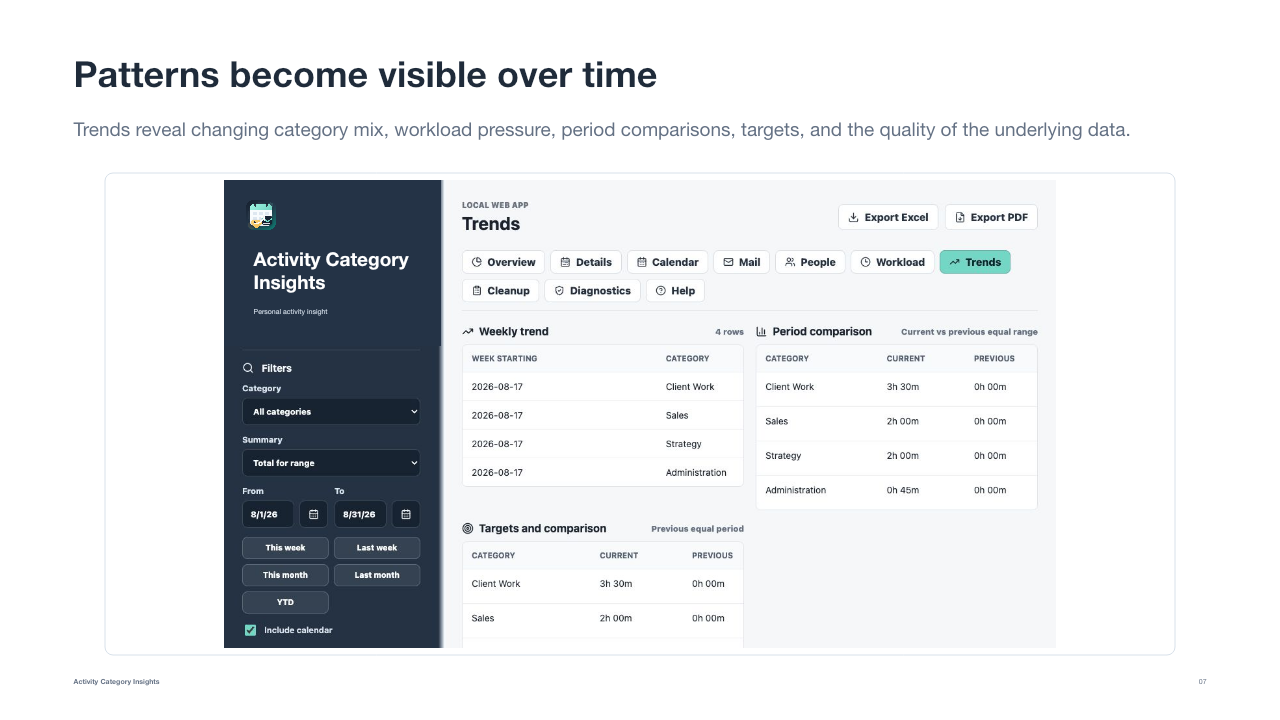
Compare periods, track category shifts, identify overloaded days, and see whether focus, meetings, communication, and administration are moving in the right direction.
Supported sources
Local Windows COM and macOS Outlook automation for calendar, categories, inbox, sent mail, and folders.
Microsoft 365, Exchange Online, Outlook.com, and New Outlook accounts through delegated access.
Gmail labels and Google Calendar read directly from Google rather than through a local Outlook copy.
Additional mail and calendar sources with account-level synchronization and explicit quality indicators.
Simple pricing
Both plans include the complete application for one named user on their personal computers. The seven-day trial includes all features.
Yearly
EUR 20
per year
One-time
EUR 45
one-time payment
Prices are shown before any taxes Paddle must add for the customer’s location. Paddle will provide the final amount and invoice during checkout.
Seven days, all features
The trial starts on first launch. Connect only the sources you need, read a short period, and inspect the items behind the result before deciding.
Frequently asked questions
No. It analyzes the calendar and mail data you explicitly connect. It is designed for personal insight and reporting, not hidden employee monitoring.
No. Uncategorized items remain visible and category completeness is reported. Categories, labels, folders, and rules make the resulting insight more useful.
Microsoft exposes different local automation interfaces on Windows and macOS. Windows COM is generally faster. Microsoft Graph or direct Google access can be more consistent for compatible cloud accounts.
It provides lifetime use of the application version purchased by the licensed user. Future application updates are not included and may require a separate purchase. Third-party services may change their own availability, permissions, or terms independently.
Purchases are processed by Paddle, the Merchant of Record. Paddle handles checkout, payment, applicable taxes, and the customer invoice.